
SCANAR STUDIO SELF-SERVE AUGMENTED REALITY
Give your print
a play button.
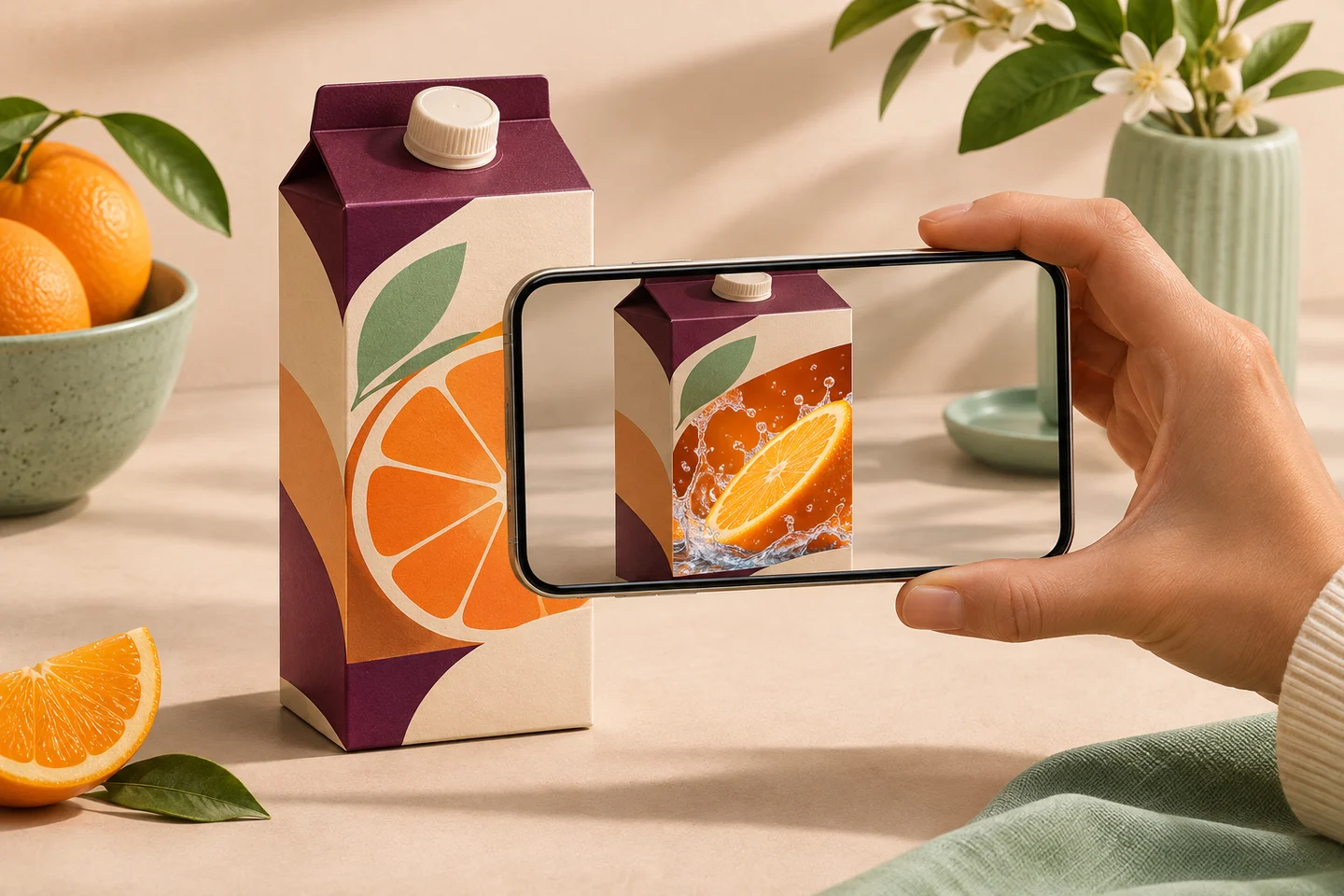
Turn a label, poster or page into an AR experience. Pair the printed artwork with a video in Studio, then let people discover it in the scanAR app.
14-day free trial · No credit card required
FROM ARTWORK TO EXPERIENCE
One image. One video.
Pair your media
Upload the exact image people will point their camera at and the video you want them to see. Preview both files before you publish.
Publish and share
Go live now or schedule a start time. Download the experience’s QR code for your print layout or share its link digitally.
Scan and watch
The QR guides viewers to scanAR. In the iOS or Android app, they point their camera at the printed artwork and the video plays over it.
INSIDE THE STUDIO
From first upload
to what happens next.
Manage your image, video and QR code together. Refresh the video without reprinting the QR, and see QR link opens separately from in-app scans.
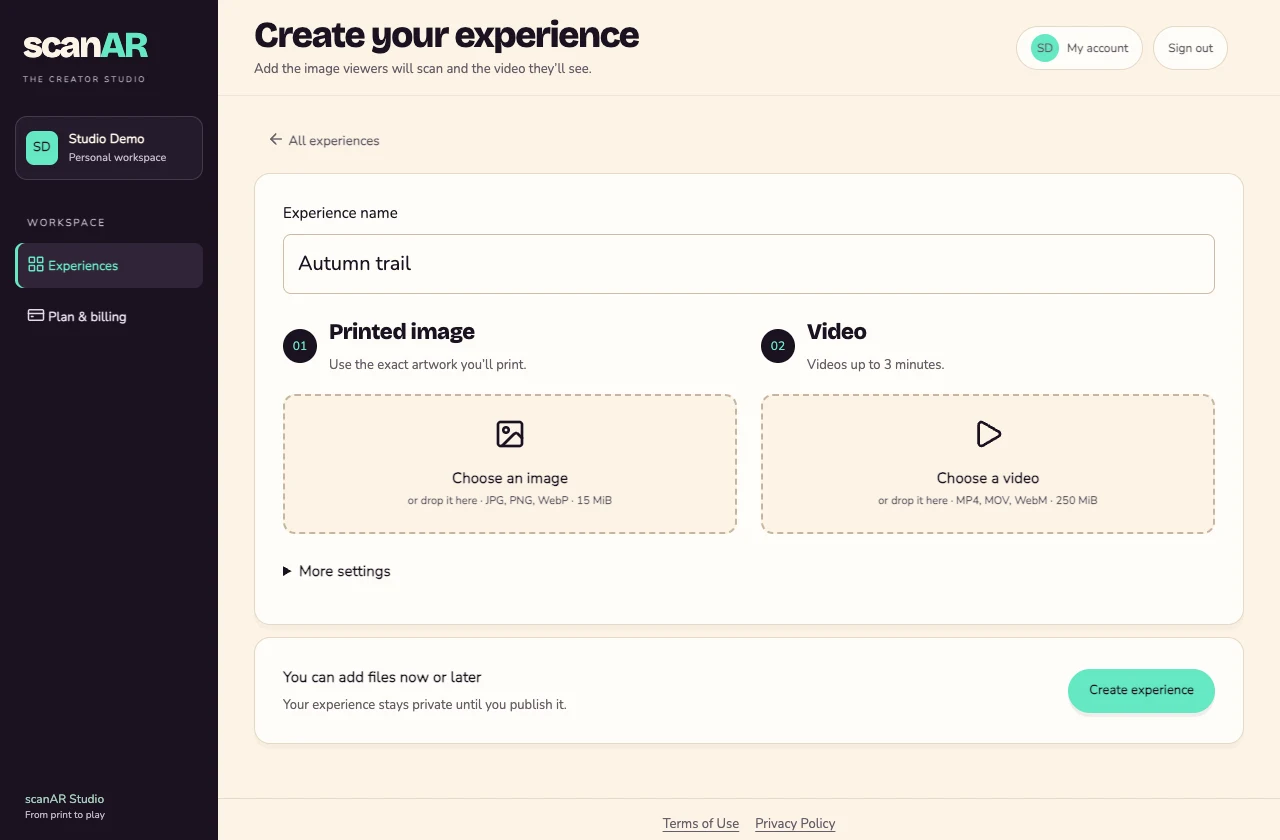
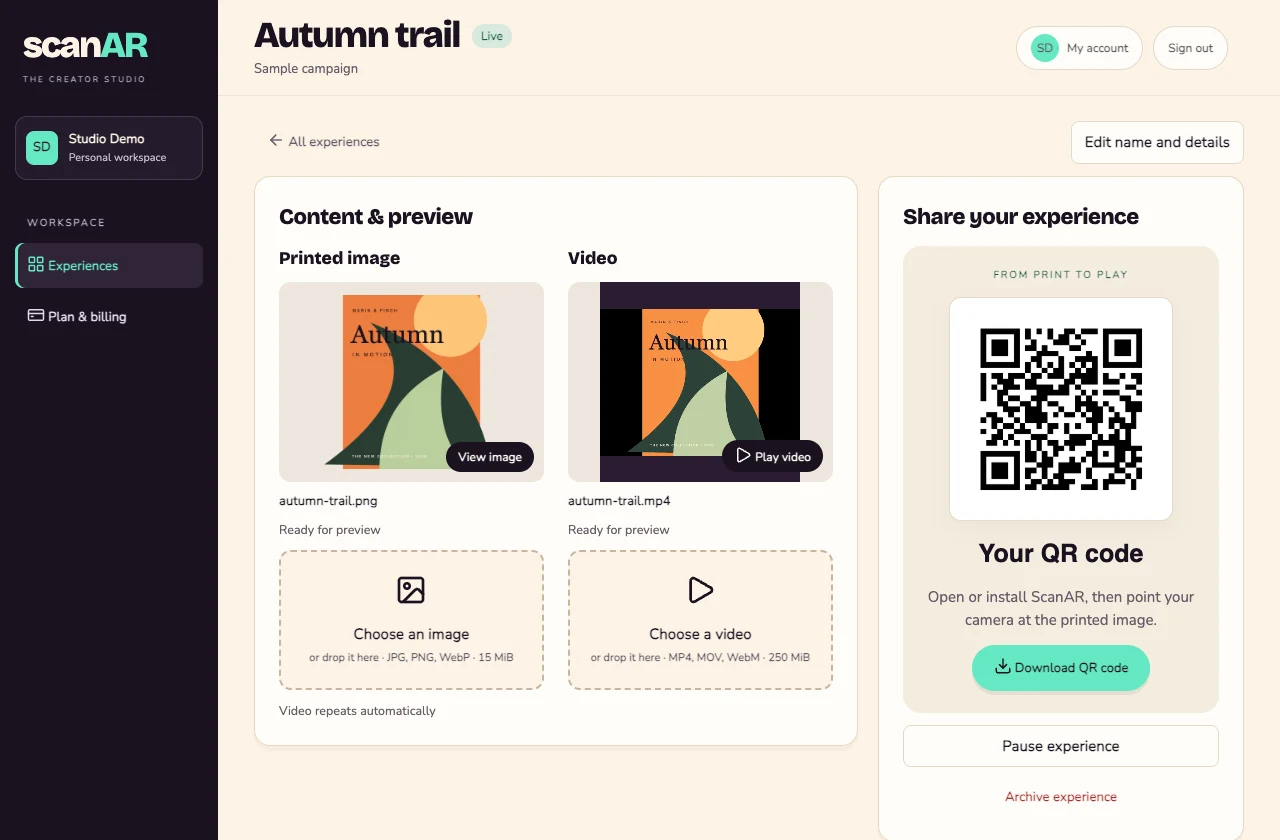
Studio screenshots use sample content. Select either image to see it at full size.
WHAT WILL YOUR PRINT DO?
Give people a reason to scan.
- Packaging
- Put a recipe, quick setup guide or product demo right on the box.
- Posters & campaigns
- Let people watch a trailer, event preview or behind-the-scenes clip from a poster.
- Catalogues & brochures
- Show how a product moves, fits or works while the reader is looking at its page.
BEFORE YOU PRINT
Good to know.
What files do I need?
Use a JPG, PNG or WebP of your printed design and an MP4, MOV or WebM video. Use the same artwork on the final print and test it with the app before ordering a large run.
Do viewers need the scanAR app?
Yes. The QR opens a web page that guides people to the scanAR app for iOS or Android. The AR video plays in the app when it recognises the printed image.
Can I change the video after printing?
Yes. Upload the replacement in Studio and publish it when it’s ready. The existing QR code continues to work, and viewers scan the same printed image.
What’s included in the trial?
You can create one experience during the 14-day trial without entering a credit card. To keep the experience available after the trial, choose a paid plan in Studio.
YOUR FIRST EXPERIENCE
Pick something to bring to life.
Start with one design you already print and a video worth sharing.
Open Studio